Sensory Sorted Review
Best Visual Schedules & Now-and-Next Boards
The boards we use and why each one suits a different child or situation, from full weekly timetables to three-slot now-and-next strips.
Visual schedules are one of the most useful and most-misused tools in the SEN parent's set of regulation supports. Here's how to introduce one without it backfiring, what to do when it stops working, and the version that suits your child rather than the one you wish suited them.
I'm a parent, not a speech and language therapist. This article is based on my own experience and on publicly available information from the National Autistic Society, NHS resources and the wider UK SEN community. If your child works with an SLT, OT or SENCO who recommends a particular visual approach, follow their lead first.
The first time someone suggested I try a visual schedule with Ella, she was four. The SENCO at her pre-school sat me down with a printed strip of pictures and a roll of Velcro, and explained that this was going to help with her morning meltdowns. I went home and stuck it on the fridge. The morning meltdowns continued. I felt like I'd failed at something a four-year-old should be able to manage.
Three years on, both my children use a visual schedule every day, and I'd struggle to get either of them out of the house without one. The version Ella refused at four she now checks before she's properly awake. What changed wasn't the board. It was how we used it.
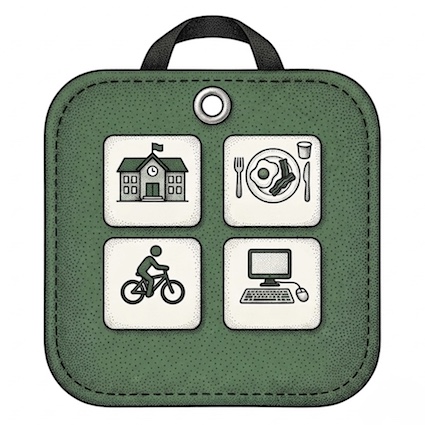
A visual schedule is a board, chart or strip showing what's happening today (or this morning, or this week) using pictures rather than just words. The format varies: a magnetic weekly board on the kitchen wall, a Velcro daily strip stuck to the bedroom door, a small now-and-next card kept in a pocket. The mechanism is the same.
For neurodivergent children, language alone can be hard to hold in mind, especially when they're already overloaded. "We're going to the dentist after lunch" is information your child has to remember, retrieve, and check against what their body is doing: three jobs that get harder under stress. A picture of a dentist on a board does that work for them. They can return to it whenever they need to. The board does the remembering so the child doesn't have to.
That's it. That's the whole mechanism. Everything else (the format, the pictures, where it lives, how often you update it) is just adapting that one idea to fit your particular child.
Different children need different amounts of information visible at once, and getting this match right is the single biggest factor in whether a visual schedule works.
A full weekly board shows seven days at a time. It works well for children who feel calmer when they can see the shape of the whole week ahead, and for families with varied weekly routines (swimming Monday, club Wednesday, grandparents Saturday). Many primary-school children manage this format from around age five or six. Older neurodivergent children and teens often prefer it, because the wider view feels less prescriptive than a daily list of demands.
A daily routine strip shows one day at a time, usually broken into morning, afternoon and evening sections. It's the format most often used in UK schools. It works well for children who find a full week overwhelming but can hold the shape of one day, and for families where weekdays are similar enough that the picture is roughly the same most days.
A now-and-next board shows just two or three slots: now, next, and sometimes later. It's the format I wish someone had handed me first, because it works in the specific situations a fuller schedule can't. Very young children (under four). Children in a state of high anxiety, where any extra information makes things worse. Children with a PDA profile, where a long list of activities reads as a long list of demands. And children newly introduced to visuals: starting with three slots and adding more later usually works better than starting with twenty-one and scaling back.
Most families end up with more than one. We have a weekly board on the kitchen wall and a small now-and-next strip that travels to the dentist, on the train, to soft play. Different tools for different jobs. Our visual schedules review walks through the actual products we use and which child each one suits.
This is the bit I wish someone had told me at the start. A visual schedule that's working does not mean a child who happily follows it. A schedule that's working means a child whose anxiety has gone down, whose transitions have got easier, whose questions about "what are we doing today?" have softened into checking the board for themselves.
The behaviour change is subtle. The first thing I noticed with Ella was that she stopped asking the same question seven times. She'd glance at the board, register what was coming, and carry on. The second thing was that the morning bottleneck (the bit between "we need to leave in twenty minutes" and "we are now leaving") got shorter. Not because she was suddenly compliant, but because she could see the shape of what was coming and didn't have to hold it all in her head.
It took about three weeks before either of those changes was obvious. The first week I'd have said the schedule was making no difference. That's normal. Stick with it.
Before you put anything on the wall, spend a few days noticing where the friction is. Mornings? Transitions between activities? The shift from school to home? The end of screen time? You're looking for the moments where your child is asking the same question repeatedly, getting stuck, or melting down at what looks like nothing. Those are the moments a visual schedule needs to address. If you build a board that maps onto everything except where the actual difficulty is, it won't help.
The mistake I made first time round was building a full weekly board with twenty activities and expecting a four-year-old to engage with it. Start smaller than feels reasonable. A now-and-next board with three slots, used only for the morning routine, is a perfectly good first version. Once that's working (and only once), extend it.
If you're starting in a moment of crisis (a child who's just started refusing school, a transition that's gone wrong), make the schedule cover only that situation. A "what happens at the dentist" five-card strip is a complete and useful schedule. You don't need a whole-life rollout to get the benefit.
This matters more than I realised at the start. A schedule the parent builds and the child is expected to follow is, structurally, a list of demands. A schedule the child helps build is something they own. It's a small shift and it makes a big difference, particularly for older children and for any child where compliance is already fraught.
You don't have to hand over total control. Offer choices: "the schedule says swimming and shopping today, which one do you want first?" Or let them choose which picture goes in the slot from a set you've pre-approved. The point is that they have some agency in what the board says, so the board feels like their tool rather than yours.
Inconsistency is what kills most visual schedules. If the board says one thing and you do another (because you've forgotten to update it, or because plans changed, or because it was easier just to tell them), the board stops being trustworthy. A board your child can't trust is worse than no board, because checking it feels like wasted effort.
Two weeks of consistent daily use is the minimum before deciding whether the format is right. If you've been consistent and it's still not landing, the format probably needs to change. Drop down to fewer slots, or change where the board lives, or change who builds it. Try changing one thing at a time rather than giving up on the whole idea.
Treating the board as a list of demands. The most common mistake, and the most damaging. If you find yourself saying "the board says you have to," your child is hearing that as you using the board to make them comply. Try: "the board says swimming is next, what do you want to wear?" The first version puts the board on your side of the demand. The second puts it between you and the child as shared information. The difference reads as small to us and large to them.
Building a schedule that's too detailed. A board with every fifteen-minute slot filled in looks thorough and feels manageable to a parent. To a neurodivergent child it can feel suffocating. There's no breathing room, no slack, no space for "what if I'm not ready to move on yet." Leave gaps. "Free time" is a perfectly good slot. So is "rest." A schedule with three or four anchor points across a day works better than one with twenty.
Treating it as a behaviour chart. A visual schedule and a reward chart are different tools doing different jobs. A schedule reduces anxiety by making the day predictable. A reward chart adds a layer of monitoring and consequence on top. Combining them ("if you follow the schedule you get a sticker") turns the schedule into a behaviour mechanism, which usually makes anxiety worse rather than better. For PDA children especially, this combination tends to backfire fast.
Updating it inconsistently. Schedules need maintenance. Five minutes on Sunday evening laying out the week is the difference between a board your child trusts and a board they've stopped checking. If you can't sustain the maintenance, simplify the format until you can. A reliably updated three-slot board beats an unreliably updated weekly one every time.
Keeping it after it's stopped working. Sometimes schedules outlive their usefulness. A child who used a daily routine strip happily at six may find it patronising at ten. A weekly board that worked for years can stop landing during a specific bad patch. Notice the signal. If your child has stopped engaging with the board for several weeks, retire it for a while. You can always reintroduce a different version later.
Visual schedules are not for life, and they're not for every situation. Even with a child who uses one well, there are moments when it stops landing. Recognising those moments matters as much as introducing the schedule did in the first place.
If your child is in a high-anxiety phase (the start of a new school year, after a transition, in the middle of an assessment process), a fuller schedule may suddenly feel overwhelming when it didn't before. Drop down to a now-and-next board for a few weeks. The wider view can come back when things settle.
If your child has started ignoring the board, ask yourself whether the schedule is still telling them something they don't already know. A child who has internalised the morning routine doesn't need a picture strip showing they brush their teeth before getting dressed. The board may have done its job and become redundant. That's a success, not a failure.
If your child is older now, the format probably needs to change with them. The bright primary-school picture cards that worked at six can feel babyish at twelve. Move to plainer icons, written words alongside pictures, a clipboard or a fridge whiteboard rather than a magnetic board. Some teens prefer phone-based schedules (Google Calendar, a notes app), and those are still visual schedules, just adapted to the age.
If you're going through a rough patch, sometimes the right answer is to retire the board for a while and come back to it later. A break is not a failure. The skills the board built (your child's familiarity with checking visual information, your habit of laying out the day in advance) don't disappear when the board comes off the wall.
Visual schedules can work brilliantly for PDA children, and they can also backfire faster than for any other group. The difference is almost entirely about framing.
A traditional schedule (full week, every slot filled, child expected to follow it) reads to a PDA child as a long list of demands. The board becomes the thing fighting them, and demand avoidance kicks in against the board itself. Now-and-next boards usually land much better because there's less information visible at once: less to push against, less that feels prescribed.
Declarative framing helps too. Instead of "the schedule says you need to get dressed now," try "the board says getting dressed is next." The second version lets the board carry the information without you using it as a way to make them comply. It's a subtle shift and PDA children pick it up instantly.
Letting the child build the schedule, change it, or move the cards themselves usually works better than a parent-set version. For a PDA child, the autonomy of moving the card to mark something done is often more important than the information the card contains. Our PDA parenting guide covers this in more detail, alongside the wider low-demand approach that visual schedules sit inside.
If your child's school uses a visual schedule (and most UK SEN provision does), having a matching version at home pays off significantly. The same symbol set, the same kind of board, the same general format. Children move between settings more smoothly when the visual cues are consistent.
Most UK schools use Picture Communication Symbols (PCS), sometimes called Boardmaker symbols. If your child works with the SENCO or with an SLT, ask which symbol set they use and whether they can share examples. Some schools will print extra cards for you to use at home. Most are pleased to be asked, because the home-school overlap is exactly the kind of consistency they want for SEN children. A sensory profile and communication passport is a useful companion to bring to that SENCO conversation — it documents your child's preferences, what overwhelms them, and how they communicate, so the people working with them at school have a clear picture from day one.
If your child has an EHCP, a visual schedule can be specified as part of their provision: both the home support and any classroom version. The EHCP guide walks through how to get specific tools written into a plan rather than left as vague aspiration.
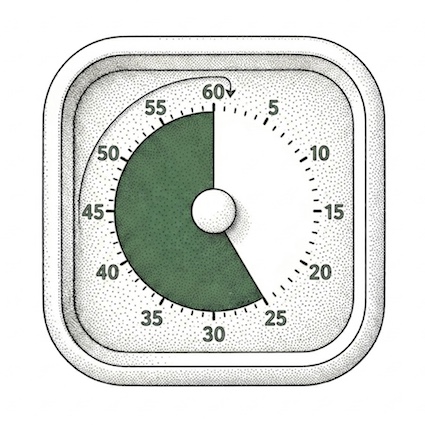
A visual schedule answers "what's happening?" but not "for how long?" That second question is where a visual timer earns its place alongside the board. The combination of schedule on the wall and timer on the desk is what most OTs and SENCOs end up recommending together rather than separately, because they cover different bits of the same problem.
Schedules also pair well with the broader work of building a sensory diet. The schedule tells your child what's coming; the sensory diet adjusts the things that go in the schedule (movement breaks, calming activities, regulation moments) so the day fits their nervous system rather than fighting it. One is structure, the other is content. Both matter.
And for the wobbliest part of most SEN families' weeks (the period between school pickup and dinner), a schedule showing the rest of the afternoon can cut restraint collapse in half. Not because it changes the underlying overload, but because it reduces the additional anxiety of not knowing what's coming next, on top of a child who is already too tired to ask.
None of this is magic. It's just a board with some pictures on it. But for the right child, used the right way, used consistently, it's one of the few SEN parenting tools that costs almost nothing and pays back almost immediately. If you've been putting off trying one, this is your nudge.


The things parents ask most about visual schedules and now-and-next boards.